Invoicing: sales invoices, credit notes and prepayment invoices
The ABCD ERP Invoicing module is invoicing software for small and medium-sized businesses: you use it to prepare sales invoices, credit notes and prepayment (advance) invoices, and you no longer need Excel spreadsheets for that. The system calculates the payment date from the customer's payment terms, assigns numbers in your own format and automatically deducts closed prepayment invoices from the final invoice amount.
The invoice printout comes in three designs, and you can add a QR code to it with a note that the invoice is valid without a signature. You choose the print language from the languages set up for your company, such as Latvian, English, German or Lithuanian. You can issue invoices in 34 currencies, and the system automatically loads exchange rates against the euro from the European Central Bank every day. You email the invoice to the customer straight from the system and can see whether the email was delivered and whether the customer opened it.
Who hasn't paid: bank statements, the Swedbank connection and payment tracking
The module shows at a glance which invoices are unpaid, which are partially paid and which are already overdue, as well as how long debts have been overdue and what the total unpaid amount is. You upload a bank statement file (FiDAViSta or camt.053), and the system recognizes the format and the account on its own.
If your account is with Swedbank, you don't need to upload any files at all: with the Swedbank Gateway module, the previous day's statement arrives in the system on its own every morning, while each incoming payment shows up within about a minute. That way you see on the same day that a customer has paid. The connection works with Swedbank accounts in Latvia, Estonia and Lithuania, and the agreement for it is signed in the Swedbank internet bank.
The system links a payment to the customer and invoice on its own by registration number, bank account or the invoice number in the payment description, but only when it finds exactly one match. If card payments or a payout from a payment platform reach your account with the commission already deducted, you split the bank line into income and commission, so the amounts match.
E-invoices for government and municipal institutions
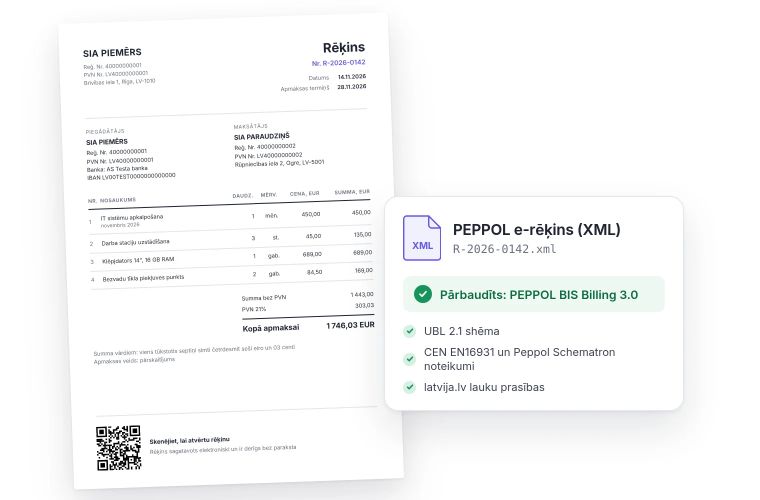
The Invoicing module creates a PEPPOL e-invoice in XML format from a closed invoice or credit note and checks it against PEPPOL and latvija.lv rules. If something is wrong, the system shows what needs fixing and won't let you download or email a file with errors.
Our guide E-invoicing and PEPPOL explains the e-invoicing deadlines for businesses and how to send an e-invoice.
Under the Accounting Law (Grāmatvedības likums), invoices to budget-funded institutions have had to be issued as e-invoices since 2025, while e-invoices between businesses will be mandatory from 1 January 2028.
Your accountant and reports
Export to Tildes Jumis is included in the price of the Invoicing module: you can export invoices, credit notes, prepayment invoices and bank lines to the software your accountant works in.
The system records every closed invoice and posted bank line in the general ledger, and from this data you can create a profit and loss or cash flow report in your own format. Once a month has been handed over to your accountant, you can lock it. After that, only a user with permission to do so can open that month's documents for editing, and you can require them to give a reason.
Online store, warehouse and sales
If you connect your online store to the ABCD public API, each order automatically becomes a single invoice, with no duplicates. When you start selling goods from a warehouse, you add the Warehouse management module: the system then takes the invoiced goods out of stock and calculates the cost price using the FIFO method, and a closed invoice goes to the warehouse for picking. If you track deals in the CRM module, you can link an invoice to a deal.
